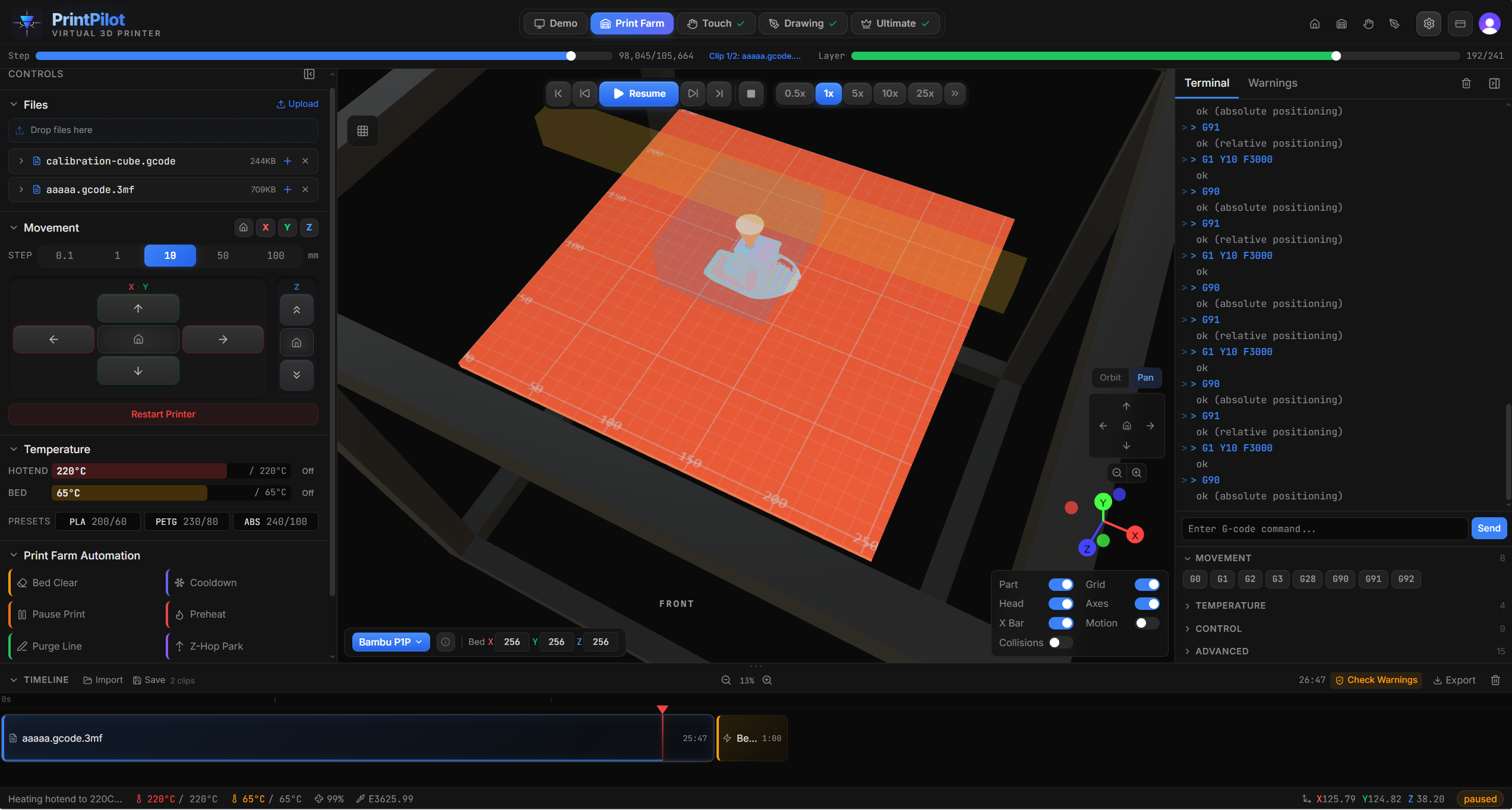
Drop your G-code or 3MF file into a real-time 3D simulator. Catch collisions, verify layers, and check temperatures — before wasting a single gram of filament.
Real-time 3D simulation with layer visualization and collision detection
Drag a .gcode or .3mf file into the browser window. 3MF files are automatically decompressed and the printer model is detected from slicer metadata. No upload, no server — everything is parsed locally.
Choose from 14 real printer profiles or use a generic profile. Each profile includes accurate build volumes, travel ranges, home positions, and printhead dimensions for collision detection.
Watch your printer execute the G-code in real-time 3D. Trapezoidal motion profiles match real firmware acceleration curves. Speed up, slow down, scrub to any layer, or jump to specific lines.
Check warnings for collisions, out-of-bounds moves, and temperature issues. The terminal shows every interpreted command. Orbit, pan, and zoom the 3D view to inspect from any angle.
No trial period. No feature limits. No credit card. This is the full simulator.
60fps playback with accurate motion profiles. Watch the printhead, bed, and gantry move exactly as they would on your real printer.
Detect printhead, gantry bar, and stylus collisions against deposited material. Catch the crashes your slicer can't see.
Acceleration, cruise, and deceleration phases match real firmware behavior. Junction velocity and jerk limits are per-printer.
Bambu P1S, P1P, P2S, X1C, X1E, A1. Prusa MK3S+, MK4, MK4S. Ender 3 Pro. Voron 2.4. Creality K1 Max. Plus generic profiles.
All parsing and simulation runs in your browser using Web Workers. Your files never leave your machine. No server, no account, no tracking.
Load raw G-code or 3MF archives. 3MF files are decompressed in-browser with automatic printer detection from slicer metadata.
Hotend, bed, and fan state are tracked through every command. Temperature panels show real-time values as the simulation runs.
Jump to any layer instantly. The scrub bar shows progress through the file, and layer detection works with all major slicers.
Every interpreted command is logged in the terminal. Click any line to see what it does. Warnings are highlighted inline.
Each profile includes accurate build volume, travel range, home position, printhead dimensions, and kinematics.
Run the simulation before starting a real print. Catch collisions, out-of-bounds moves, and slicer mistakes without wasting filament or risking your printer.
Slice the same model with different settings or different slicers. Load both into PrintPilot to compare travel moves, layer strategies, and extrusion patterns side by side.
Understand how G-code works by watching commands execute in real time. Great for students, educators, and anyone new to 3D printing who wants to see what each line of G-code actually does.
Writing your own G-code macros or post-processing scripts? Simulate them first. The terminal shows exactly how each command is interpreted so you can catch mistakes.
Working away from your printer? Simulate prints on your laptop to plan your next session. Know exactly how long it will take and what settings to use before you get to the machine.
Just got a new printer? Load a calibration cube and watch the simulation with your printer's exact profile. Verify travel ranges, home positions, and printhead clearances before running anything real.
PrintPilot is 100% free. Print Farm, Touch, and Drawing are all unlocked — no signup, no payment, no limits. Click any below to learn more.
Yes. The full virtual 3D printer — all 14 printer profiles, 49 G-code commands, collision detection, 3MF support, Print Farm, Touch, and Drawing modes — is completely free. No account, no payment, no time limits. There's an optional donate link if you'd like to support development.
No. PrintPilot runs entirely in your browser. Open the app and drop in a file. It works on any modern browser — Chrome, Firefox, Safari, Edge. No plugins, no extensions, no downloads.
No. All file parsing and simulation runs entirely in your browser using Web Workers. Your G-code and 3MF files never leave your machine. There is no server-side processing.
49 commands including G0/G1 linear moves, G2/G3 arcs, G28 homing, G29 bed leveling, temperature control (M104/M109/M140/M190), fan control, retraction, and more. It handles Marlin, RepRap, Klipper, and Griffin G-code flavors automatically.
PrintPilot uses trapezoidal motion profiles that match real firmware acceleration curves. Each printer profile includes accurate build volumes, travel ranges, home positions, and printhead dimensions. Collision detection checks the printhead, gantry bar, and stylus against deposited material with 0.1mm tolerance.