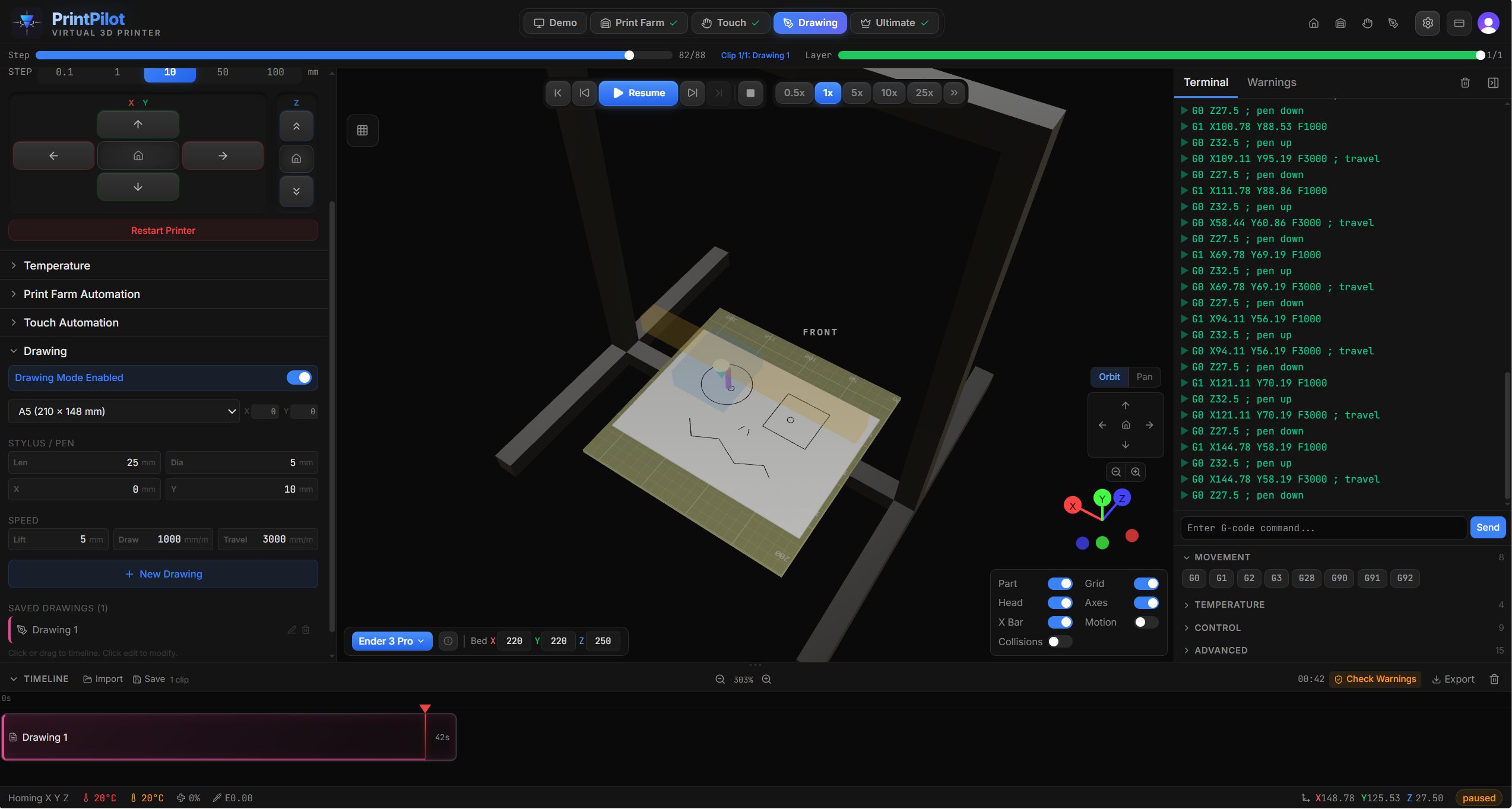
Drawing canvas with pen paths and real-time 3D print preview
If you already own a 3D printer, you already have everything you need. Print our free pen mount, attach a pen or marker, and start drawing. Preview your designs in real-time 3D and export pen plotter G-code — no special hardware required.
Drawing canvas with pen paths and real-time 3D print preview
Browse community-designed pen mounts for your printer, or share your own. The same mount works for Touch mode's stylus — one mount, two creative uses.
Draw naturally on the virtual paper sheet. Paths are automatically simplified using the Douglas-Peucker algorithm, reducing point count while preserving shape fidelity for clean G-code output.
Draw precise lines, rectangles, and ellipses. Each shape is converted to G-code toolpaths with configurable pen-down and travel movements.
Choose from standard paper sizes (A4, A5, Letter) or define custom dimensions. The 3D viewport shows the paper positioned on your printer's bed for accurate spatial preview.
Watch the virtual pen raise for travel moves and lower for drawing strokes in the 3D viewport. Configurable pen-down Z height, travel Z height, draw speed, and travel speed.
Export your drawing as ready-to-run G-code. The output includes pen-up/down movements, optimized travel paths, and configurable feedrates for both drawing and repositioning.
Choose a paper size or enter custom dimensions. Position the virtual paper on the print bed. The 3D viewport shows exactly where the paper sits relative to your printer.
Use the freehand pen tool for organic shapes or the line, rectangle, and ellipse tools for geometric precision. Each stroke appears on the canvas and in the 3D preview simultaneously.
Export your design as G-code with configurable pen heights and feedrates. Load the file on your printer with a pen or marker mounted on the printhead.
Design personalized greeting cards, name tags, or small signs. The pen plotter output gives hand-drawn character that laser printing can't match.
Create precise geometric patterns, mandalas, and mathematical curves using the shape tools. Export at any scale for wall art or decorative pieces.
Teach geometry, coordinate systems, and CNC concepts hands-on. Students draw shapes and see them come to life on the print bed.